For homeowners · planning a remodel
Home Renovation Planner
Know the final cost before the last invoice. A budget spreadsheet that follows every line of your remodel from your first estimate to the last payment.
- Excel + Google Sheets
- US dollars
- Filled-in example

- 109budget lines, filtered to your project
- 3quotes compared on their true price
- 15phases that schedule themselves
- 8page quick start guide
What it does
Most remodels go over budget for three ordinary reasons.
A renovation budget rarely goes wrong on the big numbers. The cabinets and the countertop get quoted, compared and argued over. What goes wrong is the list around them: the permit, the dumpster, the range hood duct that is not in the cabinet quote, six weeks of eating out. Each one is small. Together they are the overrun. The other two reasons are changes agreed on the spot, and money paid before the work was done.
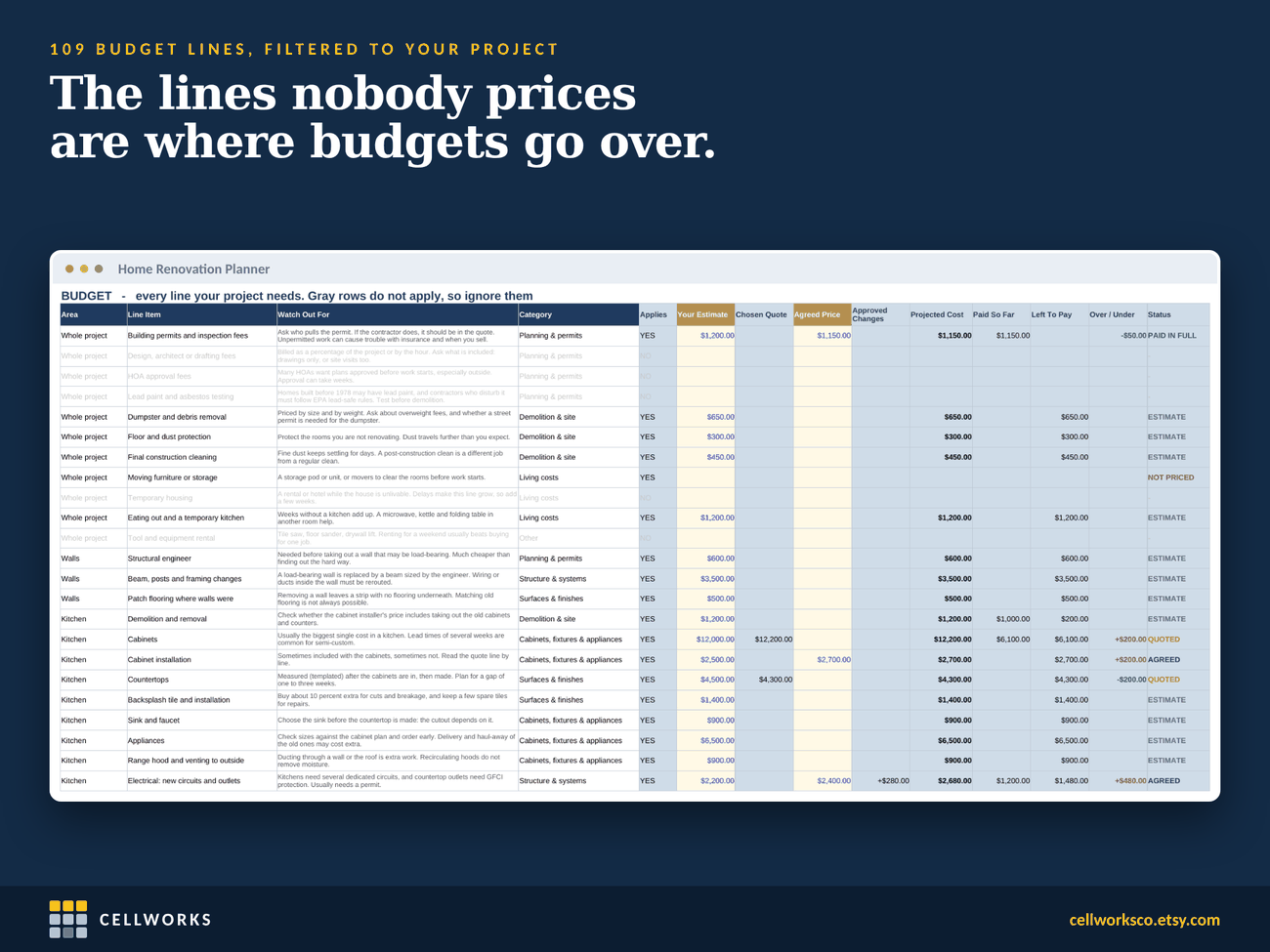
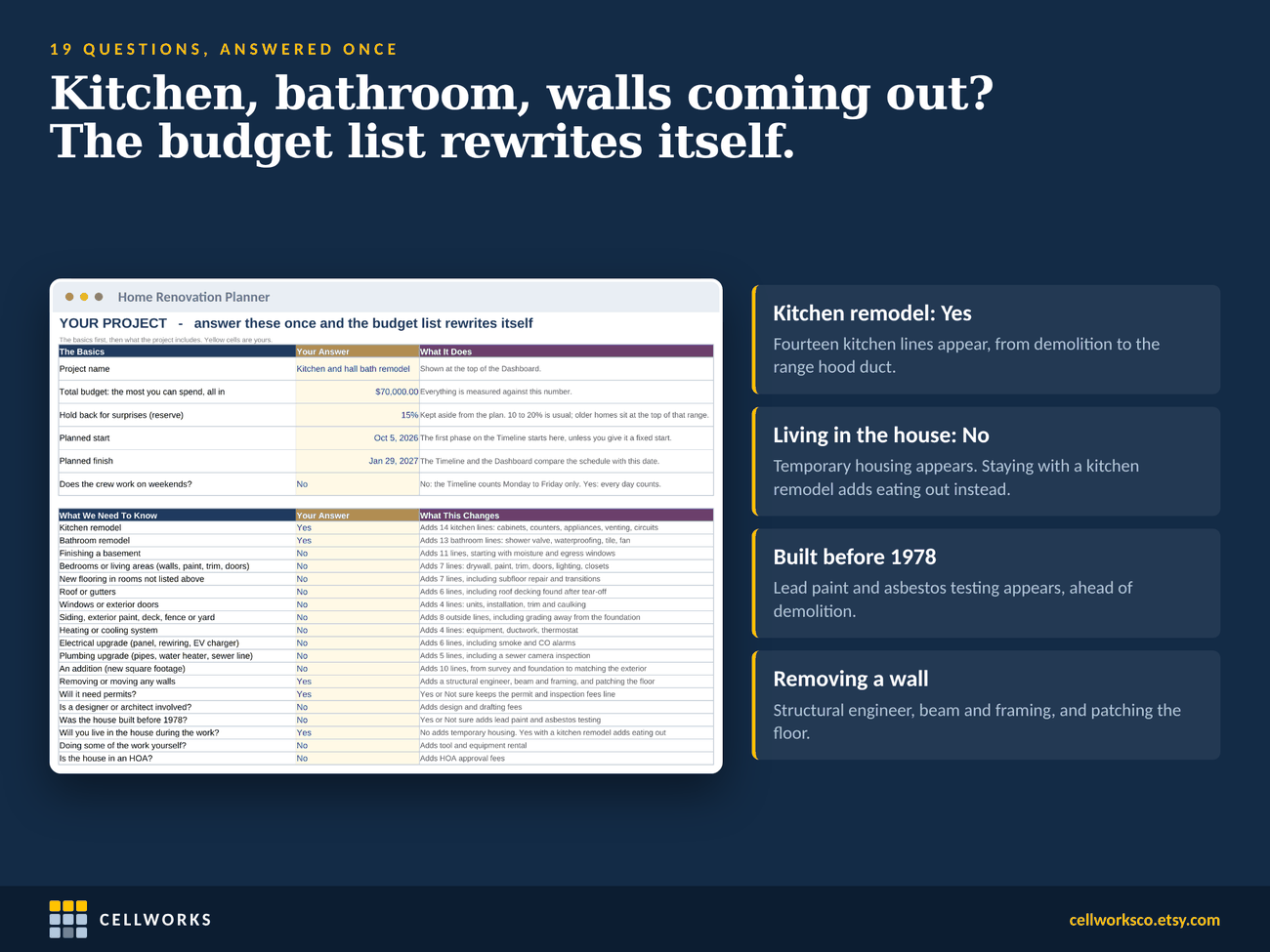
This planner starts with nineteen questions about your project: which rooms, whether a wall comes out, whether you live in the house during the work, whether it was built before 1978. The budget keeps only the lines that apply, out of 109, and every line comes with a short note on what people usually forget to ask.
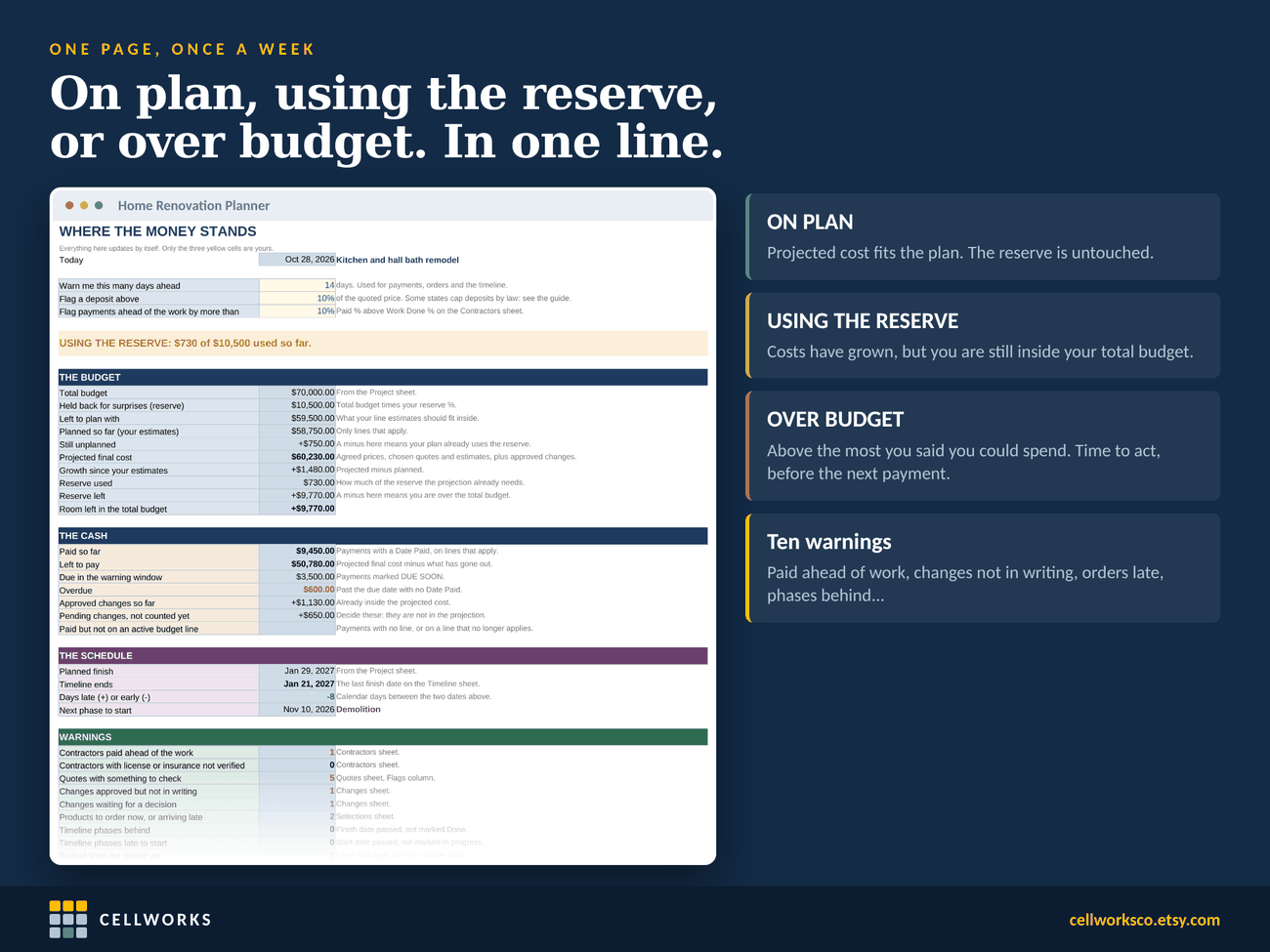
From there each line follows the money: your own estimate, the quote you chose, the price you agreed, and the changes you approved along the way. A reserve for surprises is held back from the start, 15% unless you change it, and one line at the top of the dashboard tells you where you stand: on plan, using the reserve, or over budget.
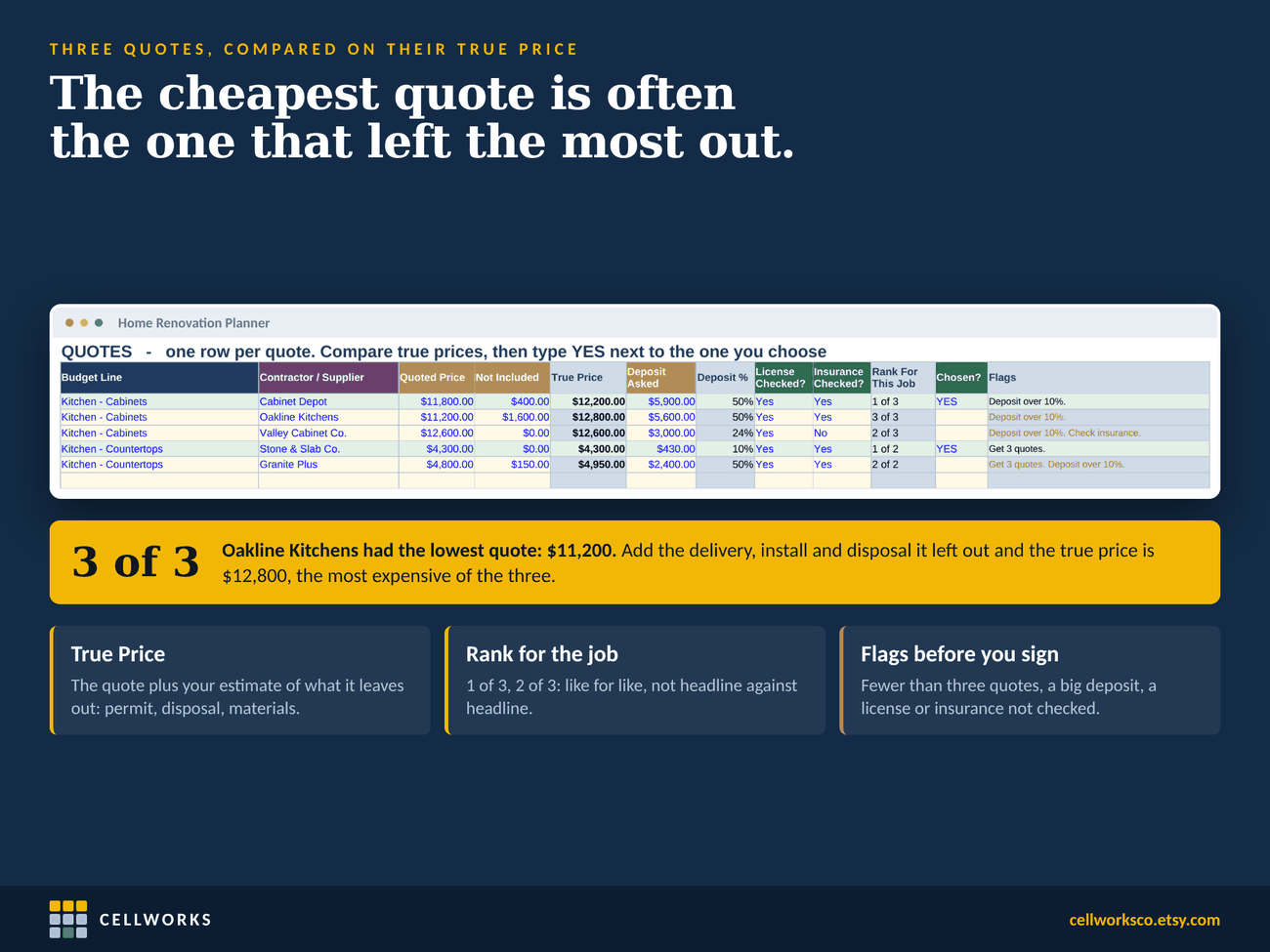
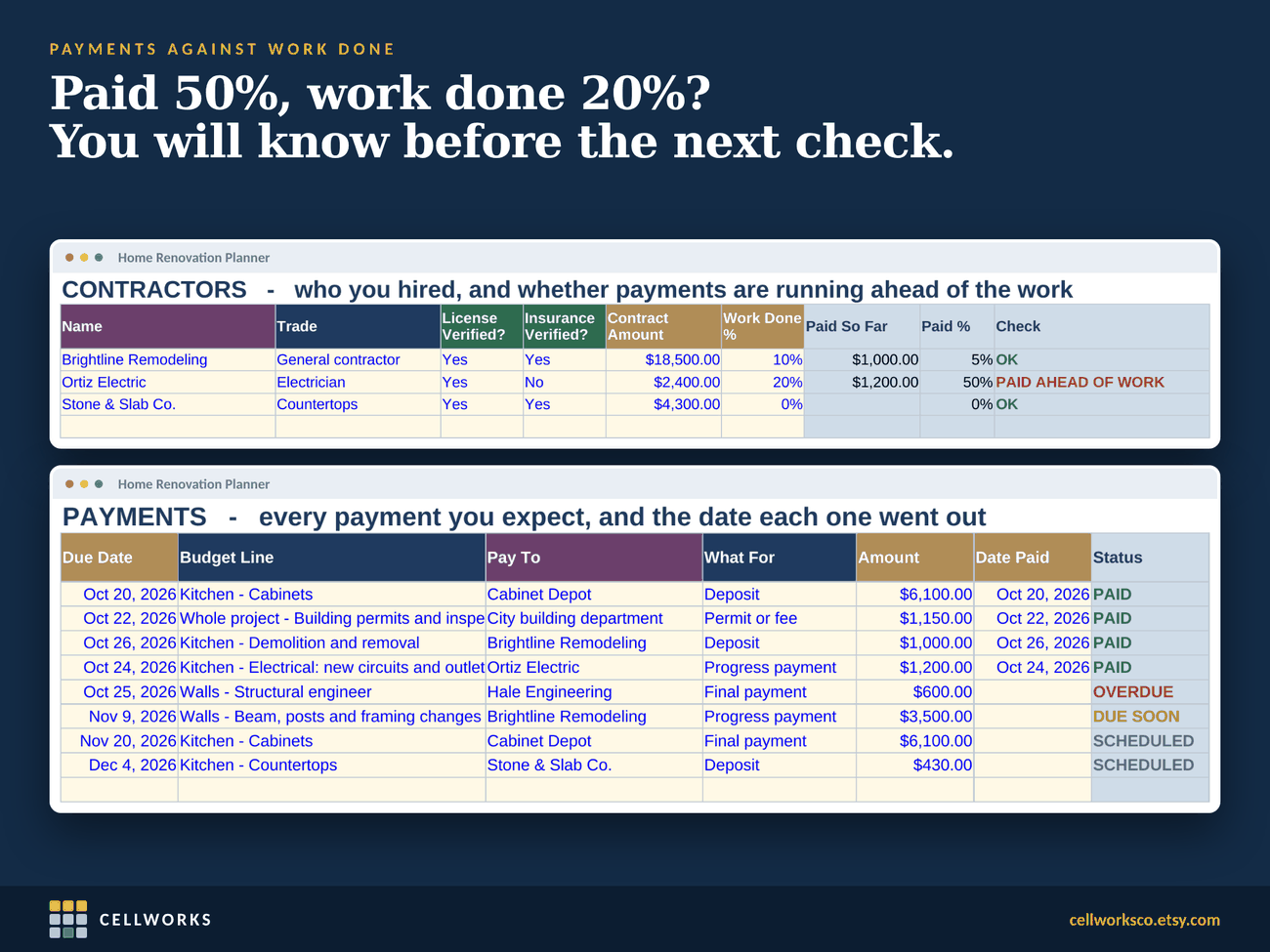
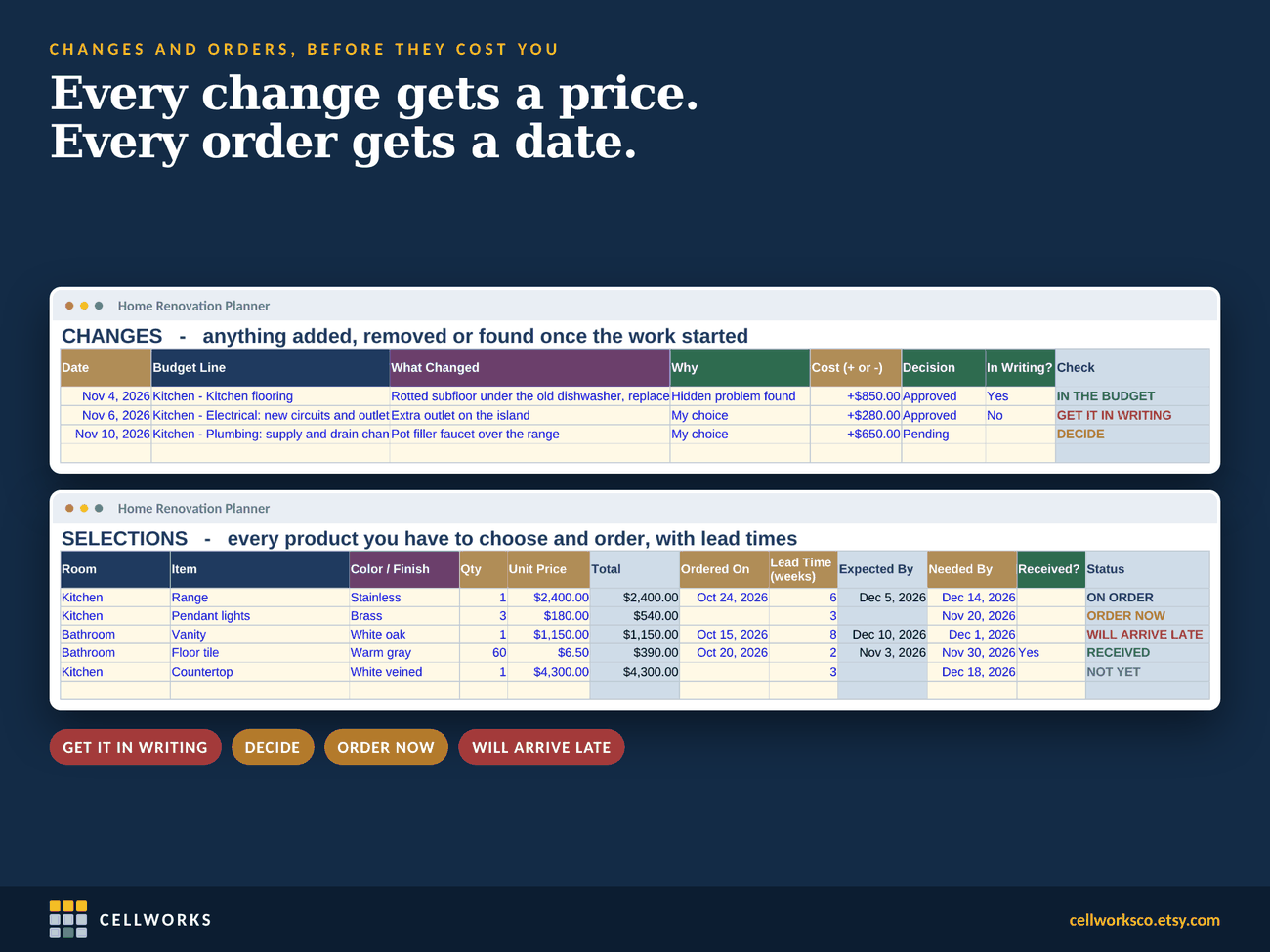
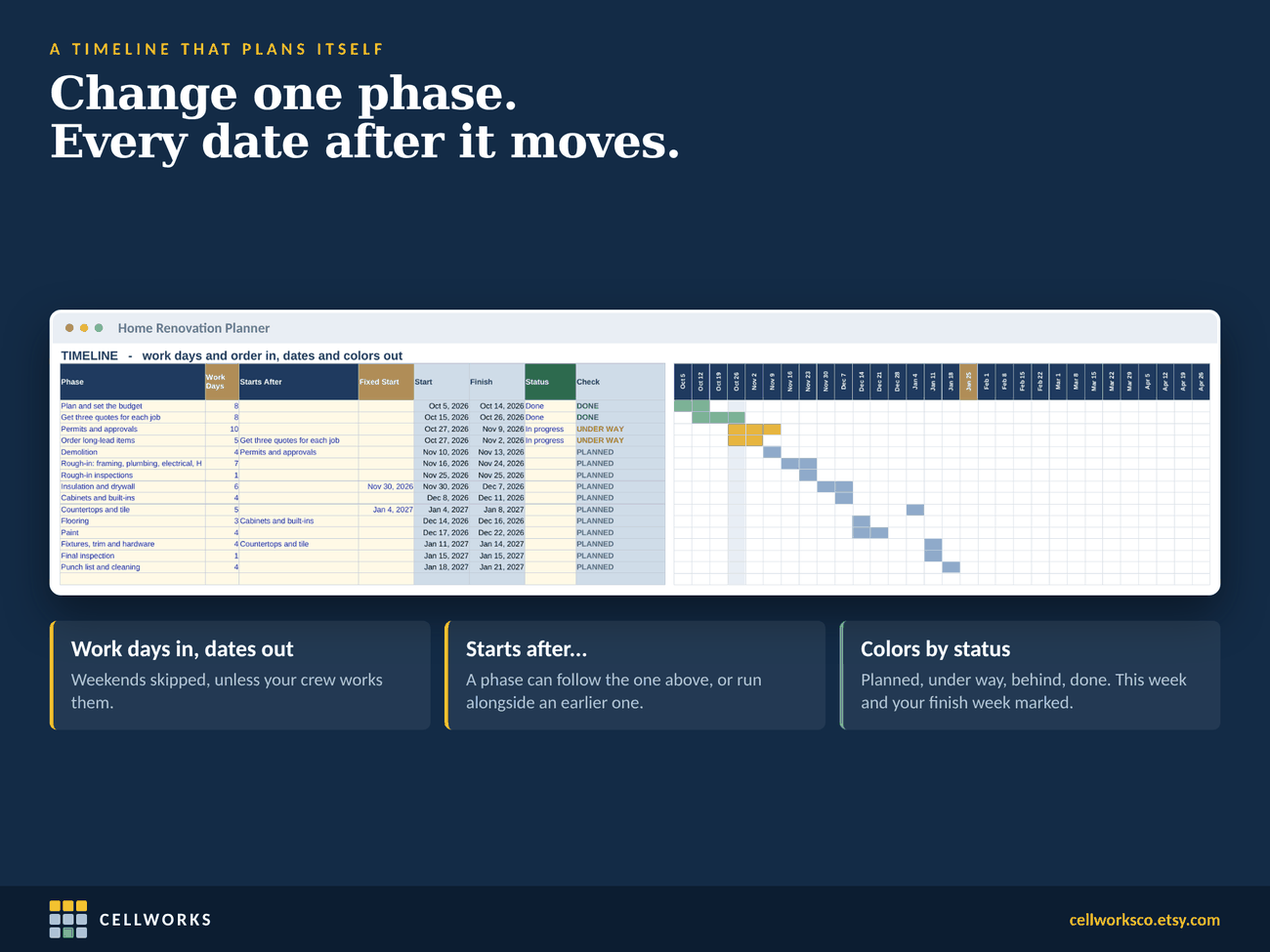
Around the budget sit the places where remodels usually leak. Quotes are compared on their true price, the quote plus what it leaves out, so the cheapest one cannot win by forgetting delivery. Payments are set against the work done, with a warning when a contractor has been paid ahead of the job. Every change order shows whether you have it in writing. Selections carry their lead times, so a vanity that arrives late does not stop the bathroom. And the timeline plans itself: give each phase its work days and what it waits for, and the dates follow.
What you get
Everything in the download.
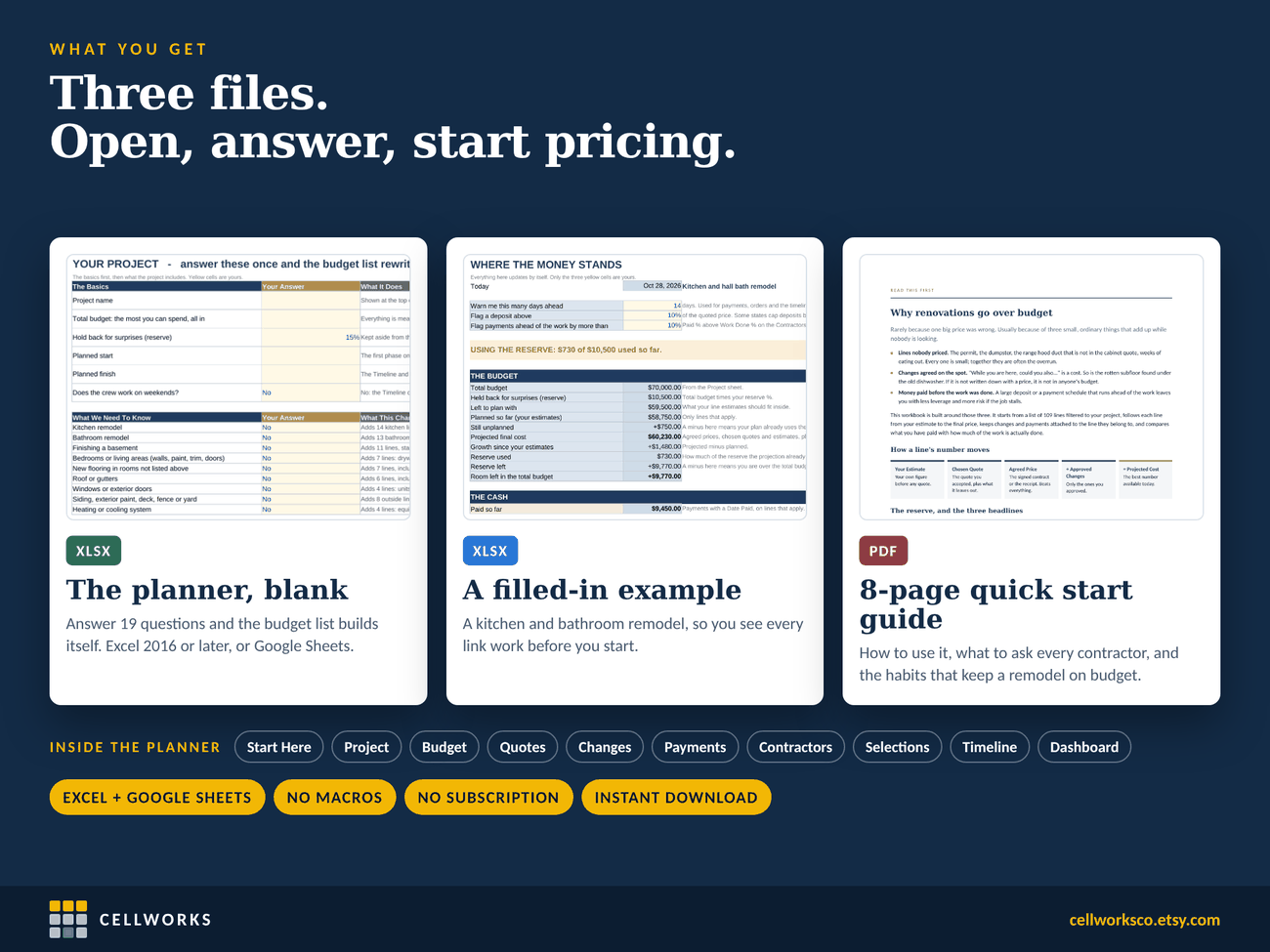
- One Excel workbook in US dollars, blank and ready for your project
- A filled-in example, a kitchen and hall bath remodel, so you can see every part working before you start
- An 8-page quick start guide (PDF): how to use it, what to ask every contractor, and six habits that keep a remodel on budget
- Nineteen project questions that switch 109 budget lines on and off
- For every line: your estimate, the chosen quote, the agreed price, approved changes and the projected cost
- A reserve for surprises, 15% unless you change it, and one headline: on plan, using the reserve, or over budget
- Quotes compared on their true price and ranked for each job, with flags for fewer than three quotes, a large deposit, and a license or insurance not checked
- Payments with due dates, and each contractor’s paid % against work done %
- Change orders, and whether each one is in writing
- Selections with order dates and lead times: ORDER NOW and WILL ARRIVE LATE
- A timeline of 15 phases that schedules itself from work days, weekends skipped
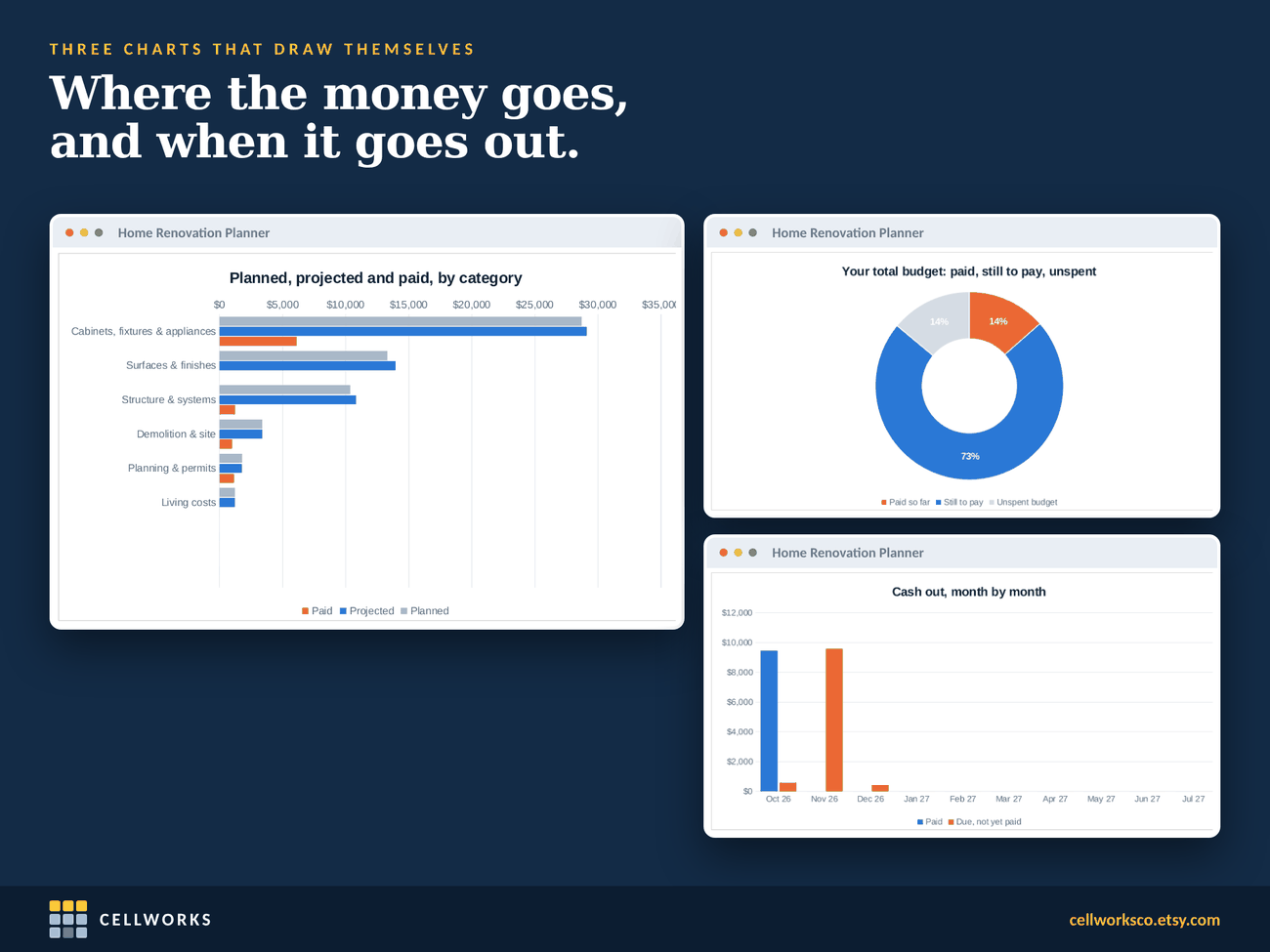
- A dashboard with the cash, the schedule, ten warnings and three charts
- Works in Excel 2016 or later and in Google Sheets. No macros, nothing to enable, works offline
Inside the file
What it looks like when it is open.
Real sheets from the file, filled with the example remodel. Click any of them to see it larger.
Questions
Worth knowing first.
Does it replace a contractor’s estimate?
No. It holds your numbers and theirs side by side, so you can see where the final cost is heading. It does not come with prices for your area: every figure in it is one you or a contractor entered.
Is it only for kitchens and bathrooms?
No. The questions cover kitchens, bathrooms, basements, bedrooms and living areas, flooring, roofs and gutters, windows and doors, siding and exterior work, heating and cooling, electrical, plumbing, additions and removing a wall. The example is a kitchen and bath because that is the most common remodel.
Does it work in Google Sheets?
Yes. Upload it to Google Drive and open it with Google Sheets. Formulas, dropdowns, the timeline colors and the charts carry over.
Why only US dollars?
Because the notes and the guide are written for US homeowners: permits, lead-safe rules for homes built before 1978, deposit limits and lien releases that vary by state.
Is this legal or financial advice?
No. It is a planning and recordkeeping tool. Building codes, permits, deposit limits and lien rules differ from state to state and town to town. The guide tells you what to ask; your local building department and your state’s contractor licensing board have the answers.
Home Renovation Planner and Budget Spreadsheet
Bought and downloaded on Etsy. One payment, instant download, and the file is yours to keep.