For landlords · tax year 2026
Rental Property Tax Organizer
Most rental spreadsheets give you a total. This one gives you the form: Schedule E, line by line, filled in from your own records.
- Excel + Google Sheets
- US dollars
- Up to 12 properties

- 15sheets in one workbook
- 12properties, four form pages
- 13checks before you file
- 11page quick start guide
What it does
Schedule E, line by line, filled in from your own records.
Tax season goes wrong for small landlords in a predictable place. The rent and the receipts were recorded somewhere during the year, but not in the order the form asks for them, and sorting them into lines 1a to 21 is the job left for a weekend in March.
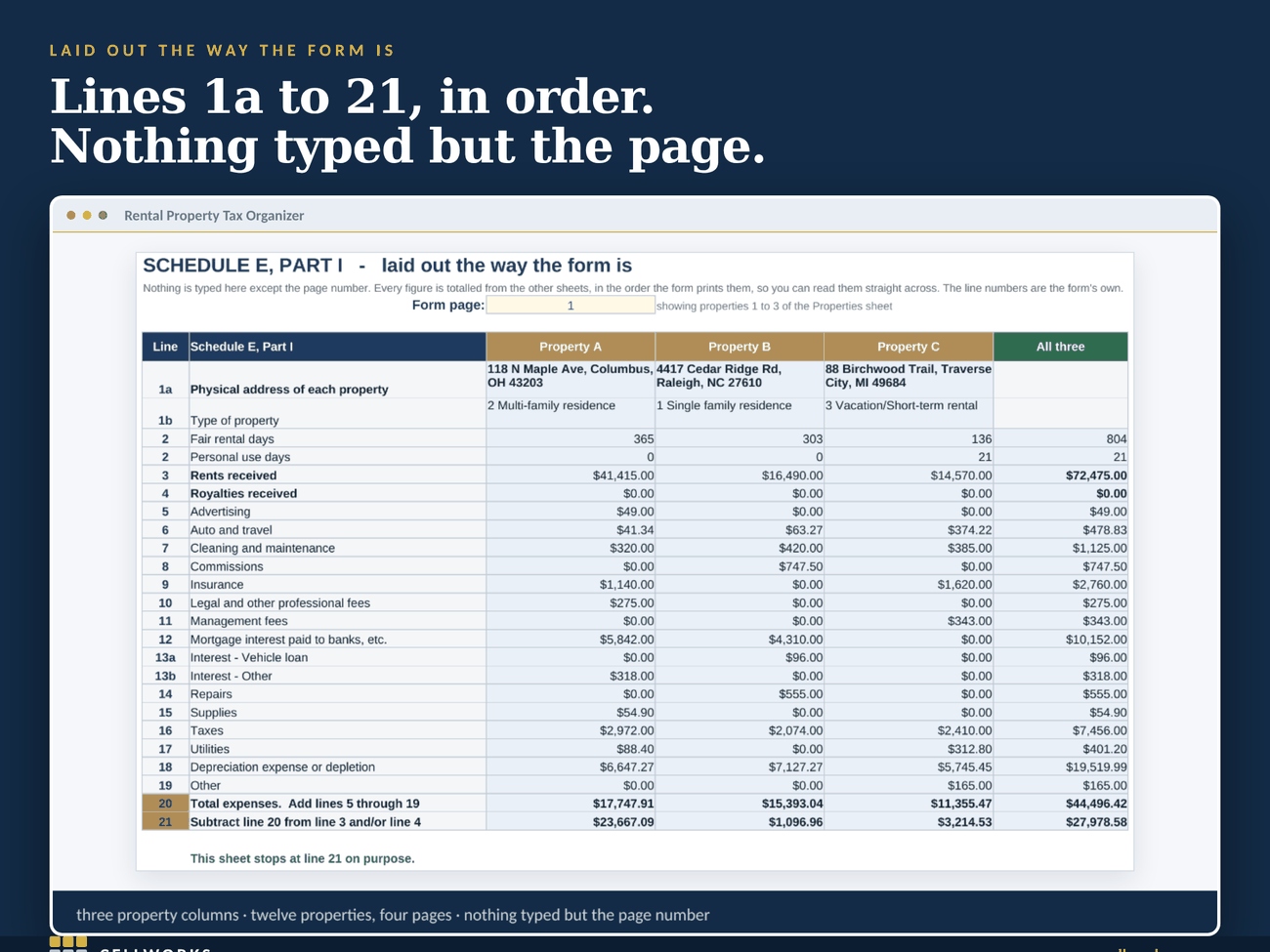
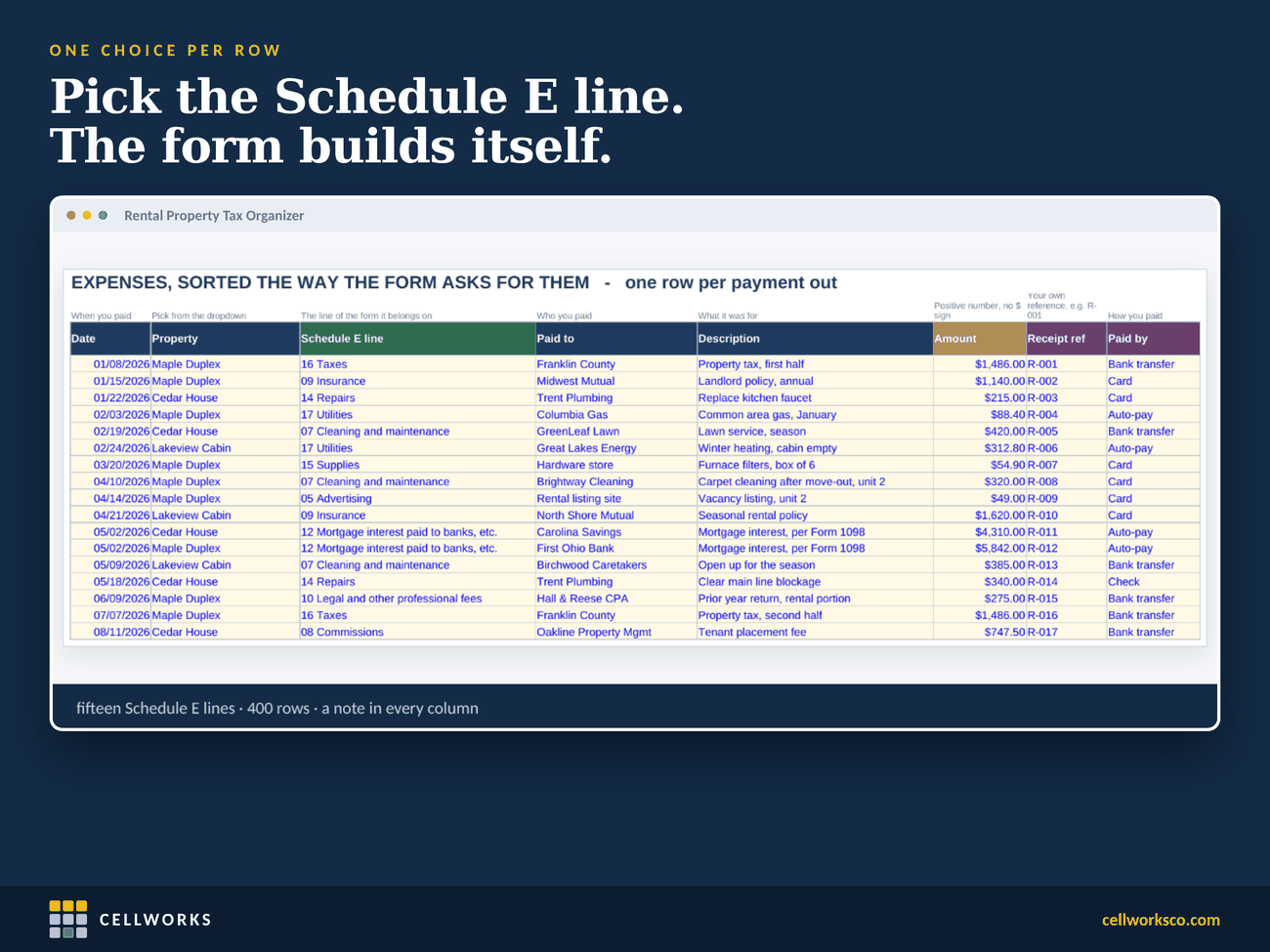
This workbook records them in that order from the start. Every income and expense row carries its Schedule E line, chosen from a dropdown. The summary sheet is laid out the way the form is printed, three property columns to a page, and you type nothing on it: every figure is added up from the rows behind it.
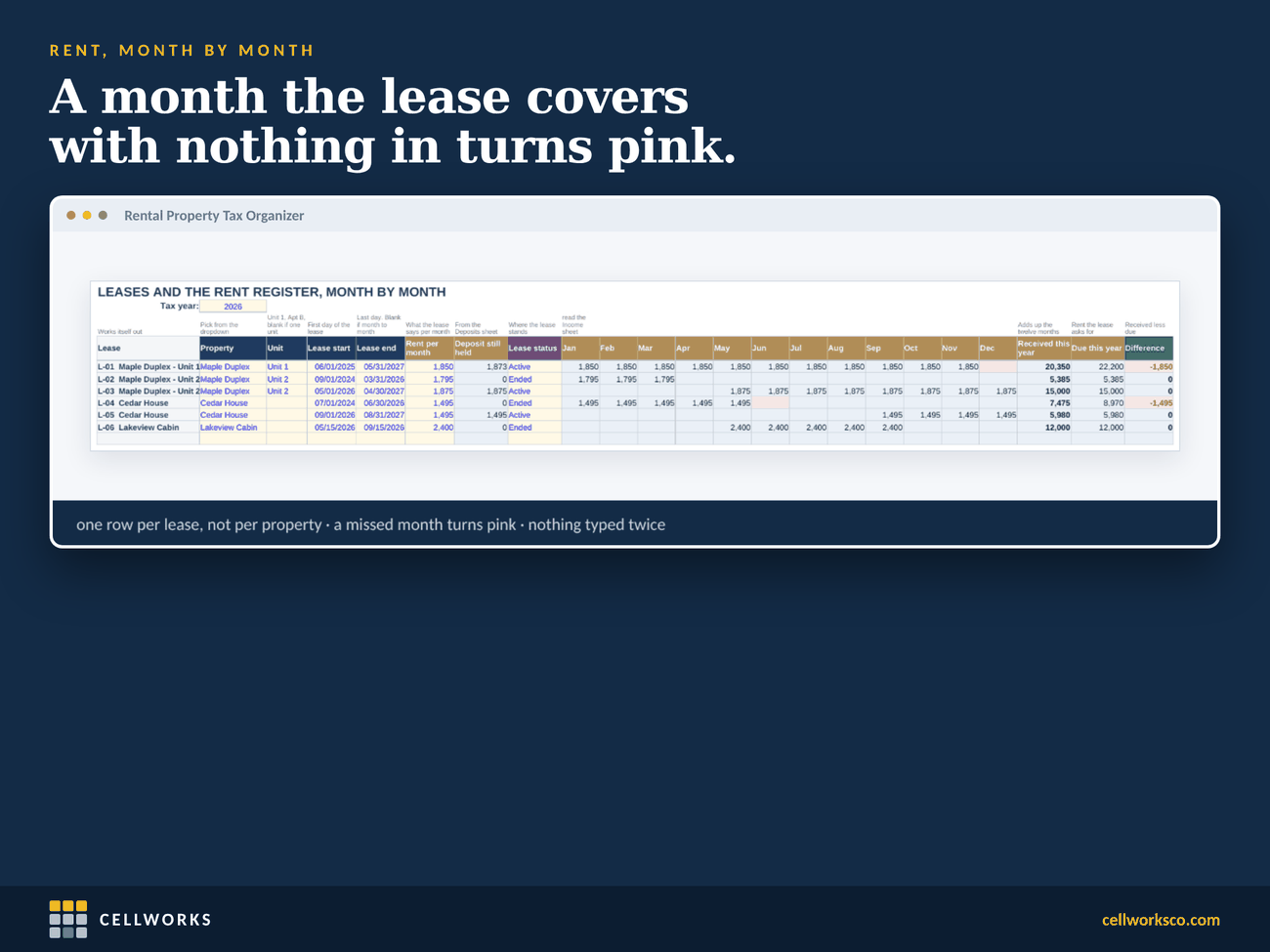
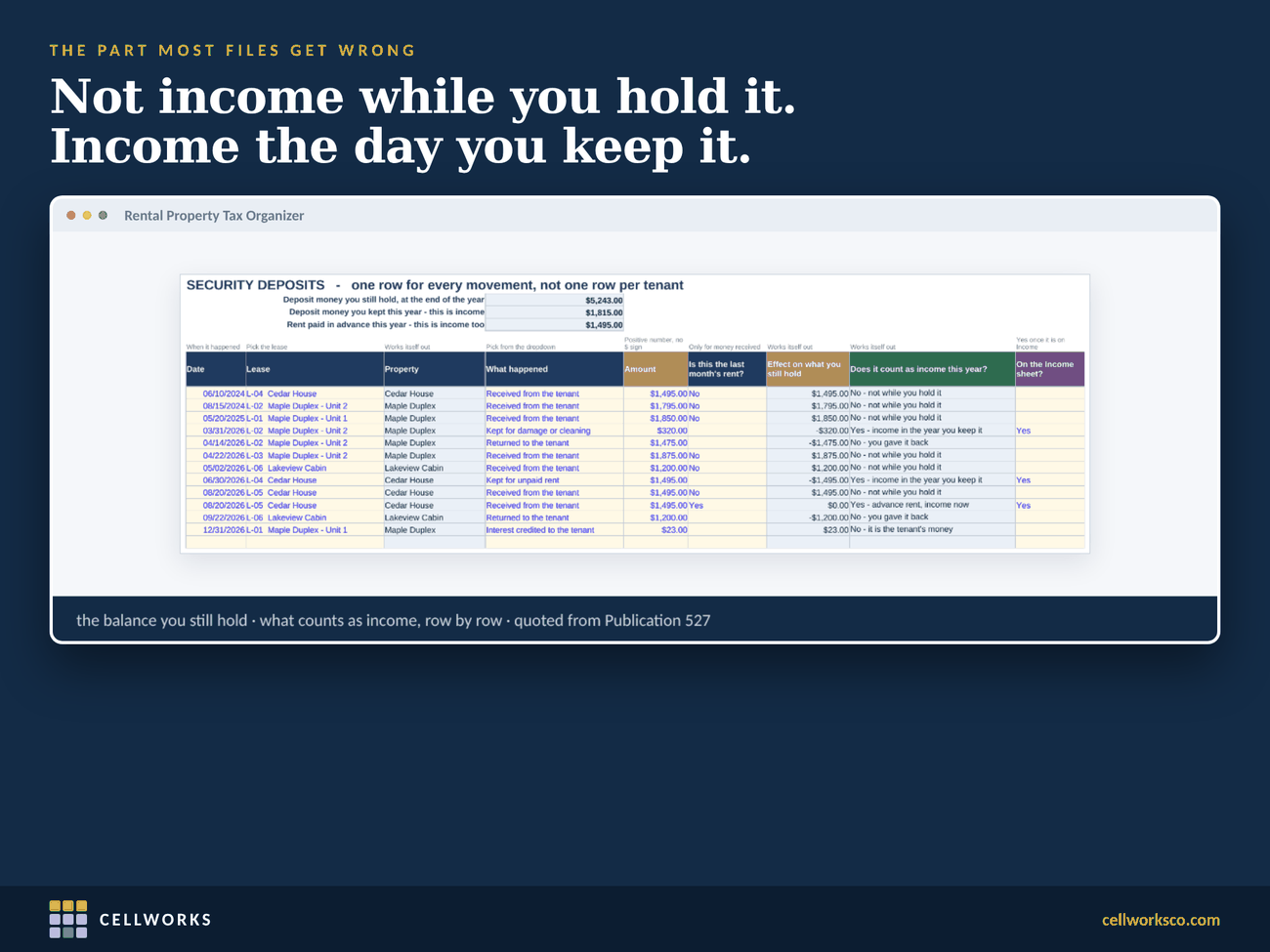
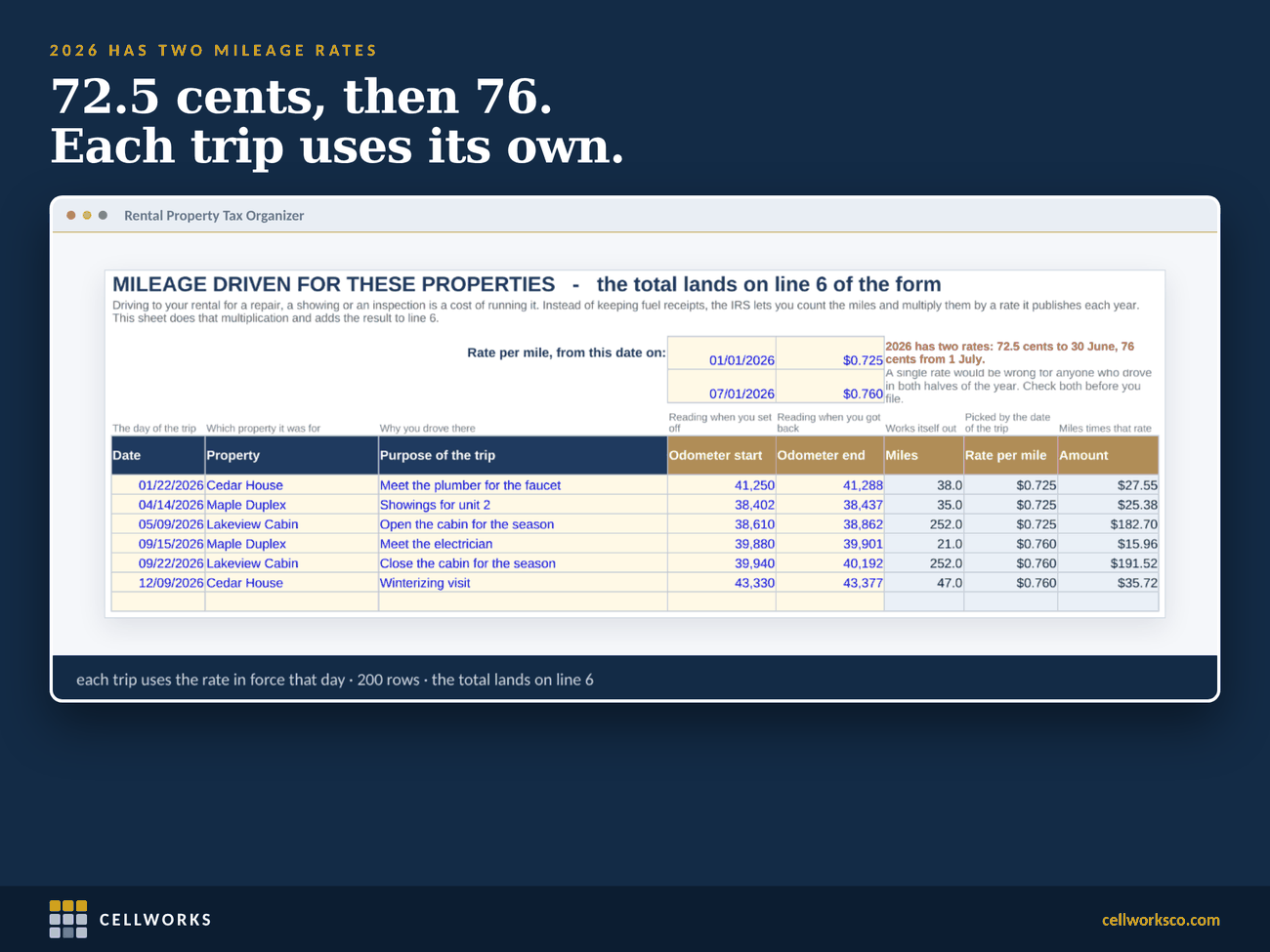
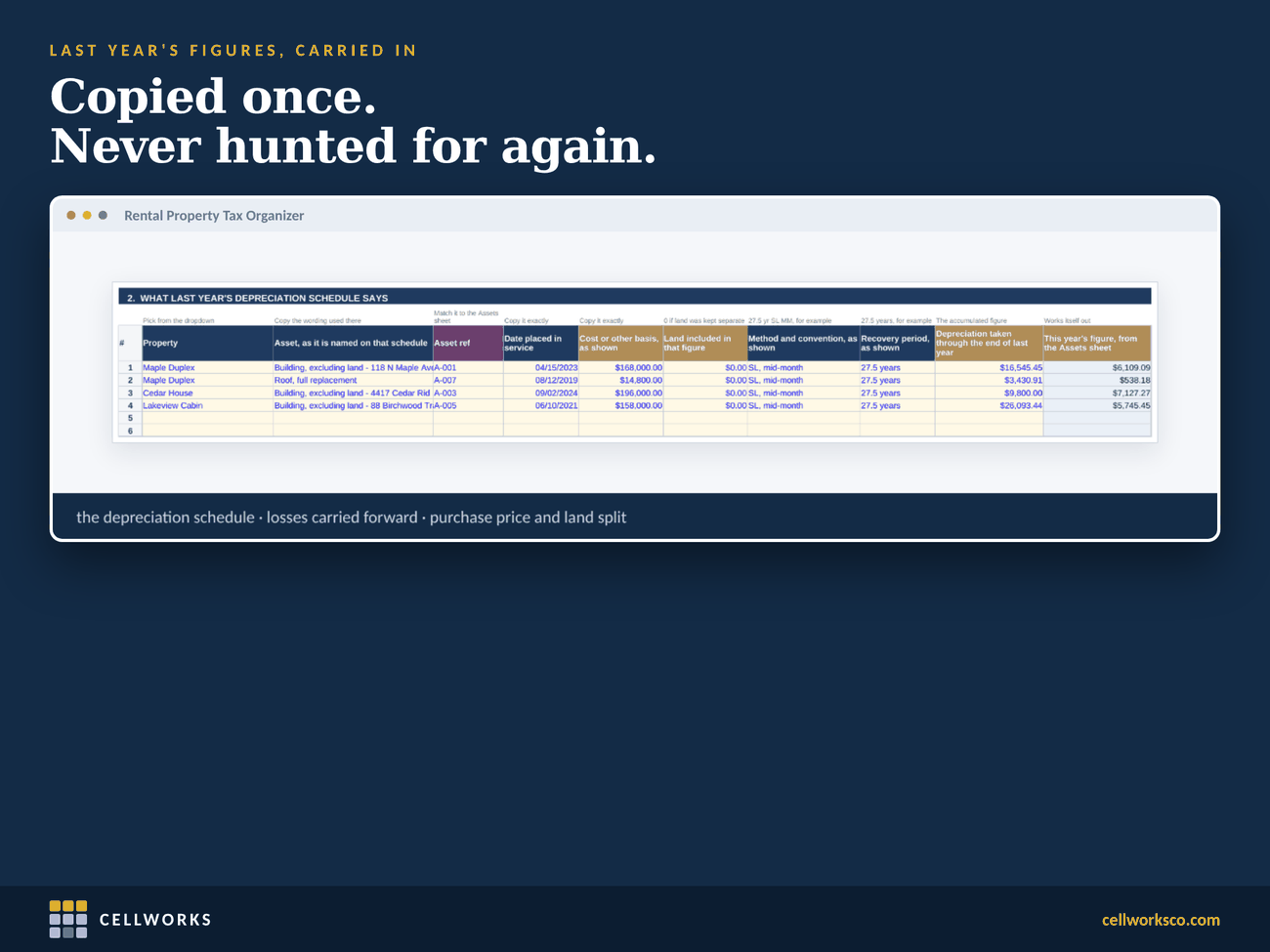
Around it sit the records the form depends on. A rent register with one row per lease, where twelve month columns fill themselves from your income rows and a month with nothing received turns pink. Security deposits, one row per movement, with the balance you still hold and a plain answer on whether each movement is income this year. Mileage at both 2026 rates, 72.5 cents to June 30 and 76 cents from July 1, each trip at the rate in force on its date. Assets and improvements, with the depreciation figure you or your preparer enter. And last year’s return, copied in once: the depreciation schedule, losses carried forward, purchase price and land split.
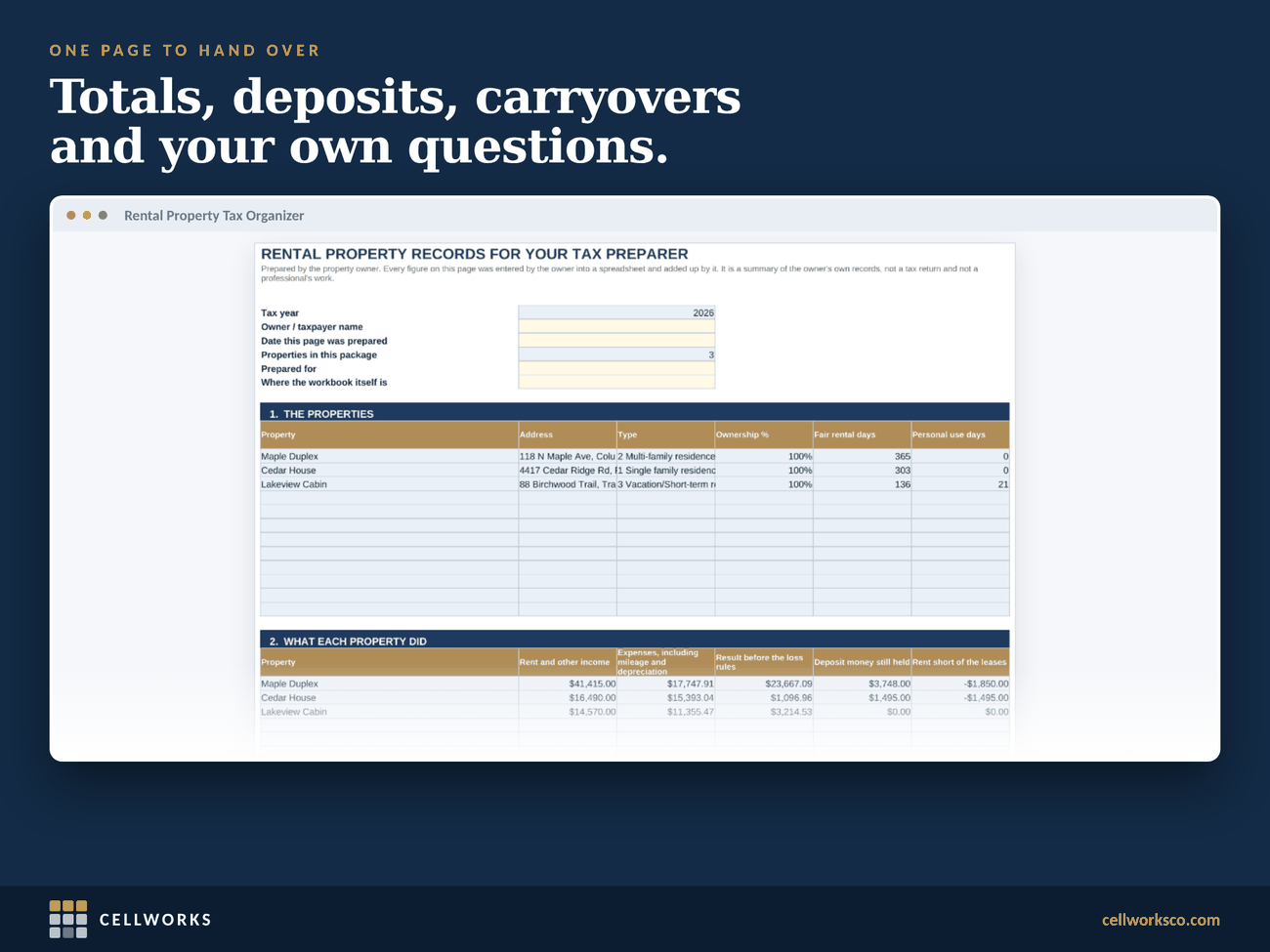
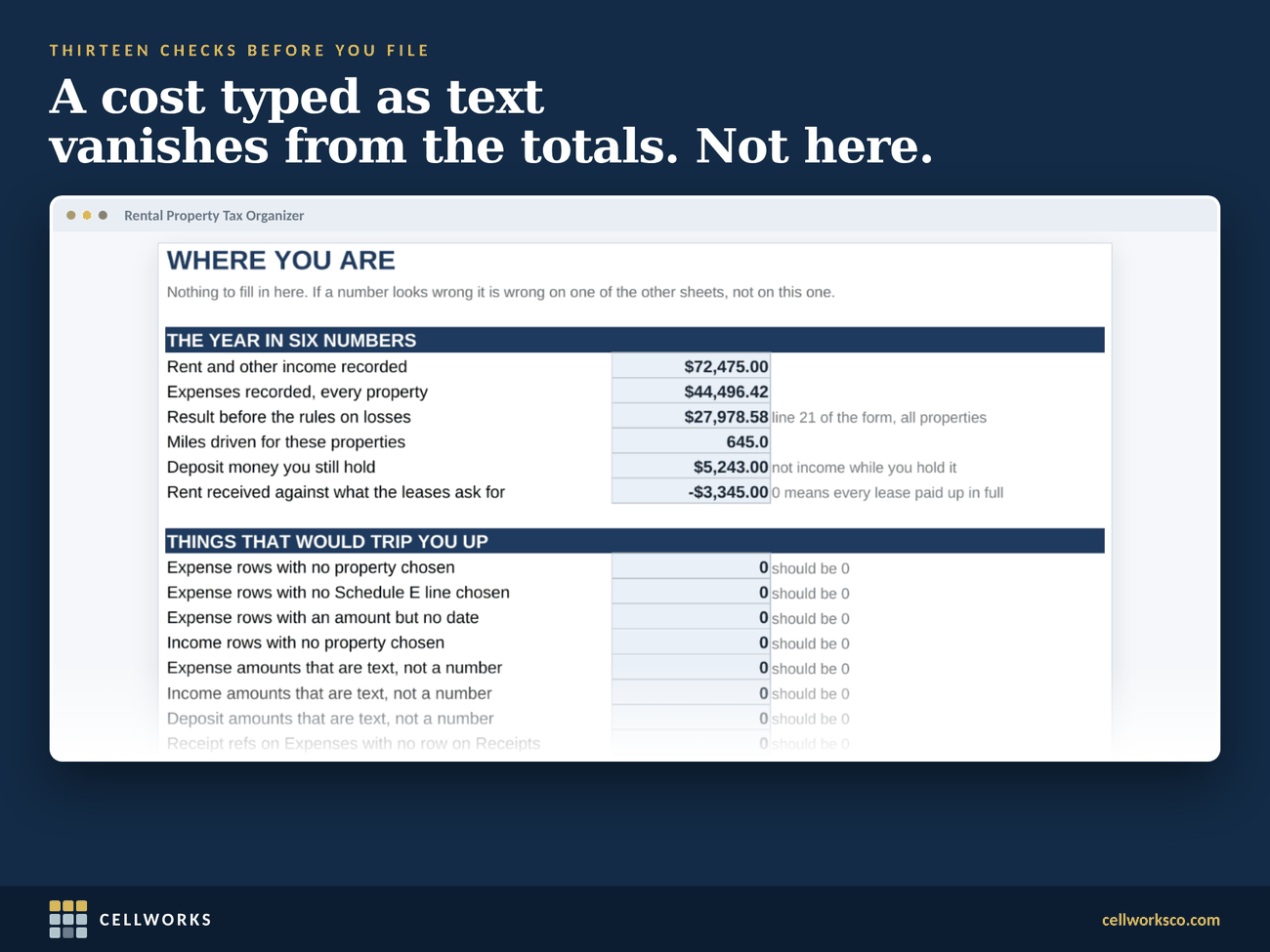
At the end there is one page to hand your preparer, ready to print or save as a PDF, and a dashboard with thirteen checks for the quiet mistakes: a cost typed as text that drops out of the totals, a row with no property, a deposit that became income but never reached the income sheet.
What you get
Everything in the download.
- One Excel workbook in US dollars, 15 sheets
- Schedule E Summary: lines 1a to 21 in the form’s own order, three properties to a page, up to twelve across four pages
- A rent register by lease, with twelve months that fill themselves
- A security deposit ledger: received, interest credited, kept for rent, kept for damage, returned
- A mileage log with both 2026 rates
- Assets and improvements, and what last year’s return says
- A receipts index and a document checklist
- One page for your preparer, print ready
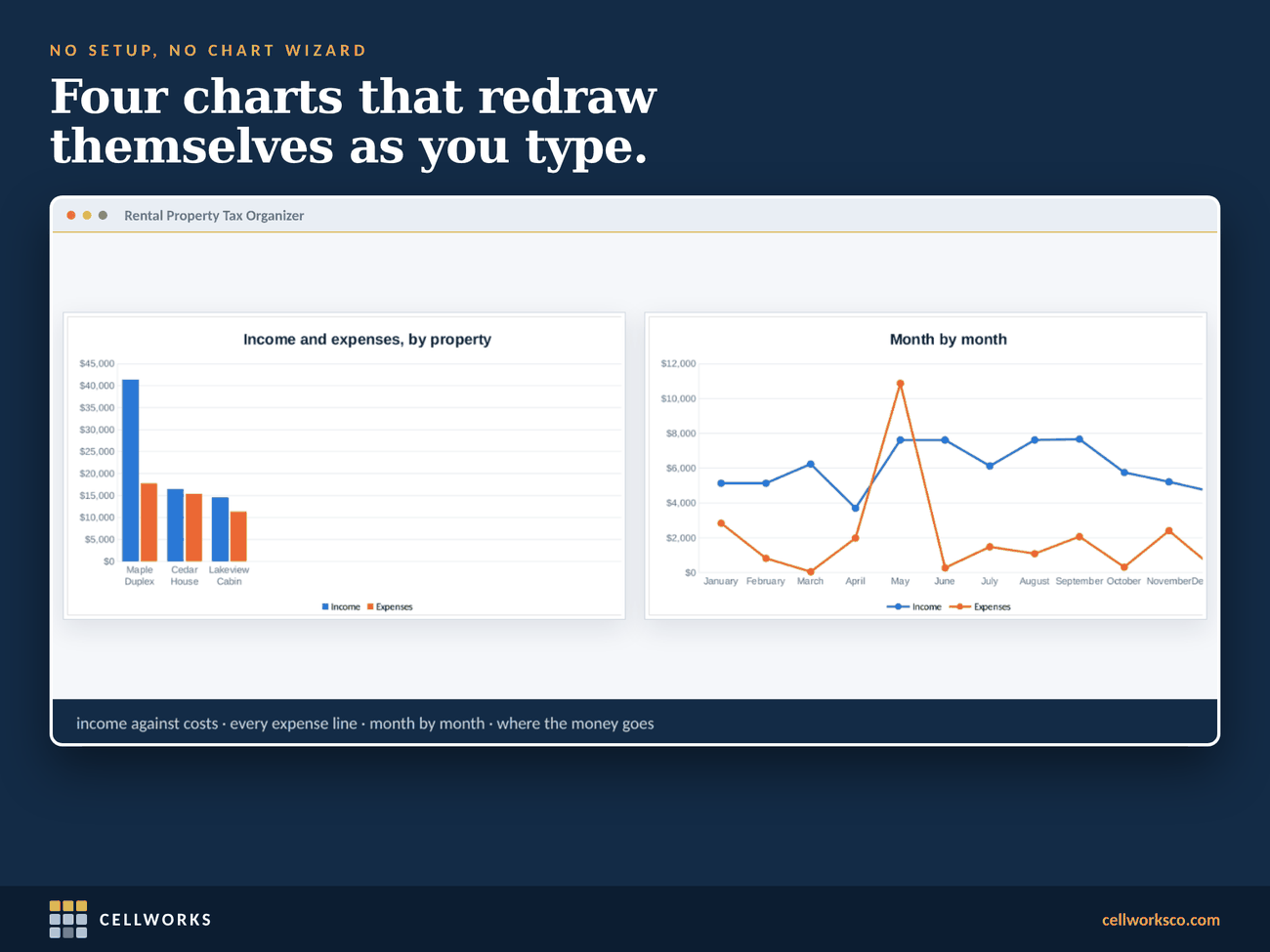
- A dashboard: six figures, four charts and thirteen checks
- An 11-page quick start guide (PDF)
- A short worked example you can clear in about a minute; the guide lists the exact rows
- Works in Excel 2016 or later and in Google Sheets. No macros, nothing to enable, works offline
Inside the file
What it looks like when it is open.
Real sheets from the file, filled with example data. Click any of them to see it larger.
Questions
Worth knowing first.
Does it prepare my tax return?
No. It organizes your records and adds them up in the order Schedule E asks for, and it stops at line 21. It does not calculate depreciation, decide whether a cost is a repair or an improvement, or apply the rules on losses and passive activity. Those depend on your situation and belong with you or your preparer.
Is this tax advice?
No. The workbook is a recordkeeping tool. Where a heading repeats the wording of an IRS form, or quotes an IRS publication, it is there to help you sort your own records. Every figure in it is one you entered. Review it and speak to a qualified US tax professional before you file. CellWorks is not affiliated with the IRS or any government agency.
Why only US dollars?
Because it is built around Schedule E, a US federal form. The other spreadsheets in the shop come in dollars, pounds and euros.
Does it work in Google Sheets?
Yes. Upload it to Google Drive and open it with Google Sheets. Formulas, dropdowns, charts and the color warnings carry over.
What should I gather before December 31?
We wrote a free guide: six records your tax preparer will ask for, from advance rent and deposits to repairs, improvements and the mileage log. It is general information, not tax advice.
What about the example data?
The file comes filled in with three example properties, so you can see every part working before you start. Clearing them takes about a minute: the START HERE sheet and the last page of the guide list the exact rows.
2026 Rental Property Tax Organizer: Schedule E, Line by Line
Bought and downloaded on Etsy. One payment, instant download, and the file is yours to keep.